

files and attachments
The attachment is where the whole case file is.
A prompt holds a sentence; the file next to it holds the contract, the claims list, the patient letter. OBVELO takes a docx, xlsx, pptx, csv or txt apart, masks it with the same engine and the same tokens as the text around it, and puts it back so it still opens. A PDF with a text layer comes back as its masked text. What cannot be masked is named — never passed on silently.
in the browser add-on
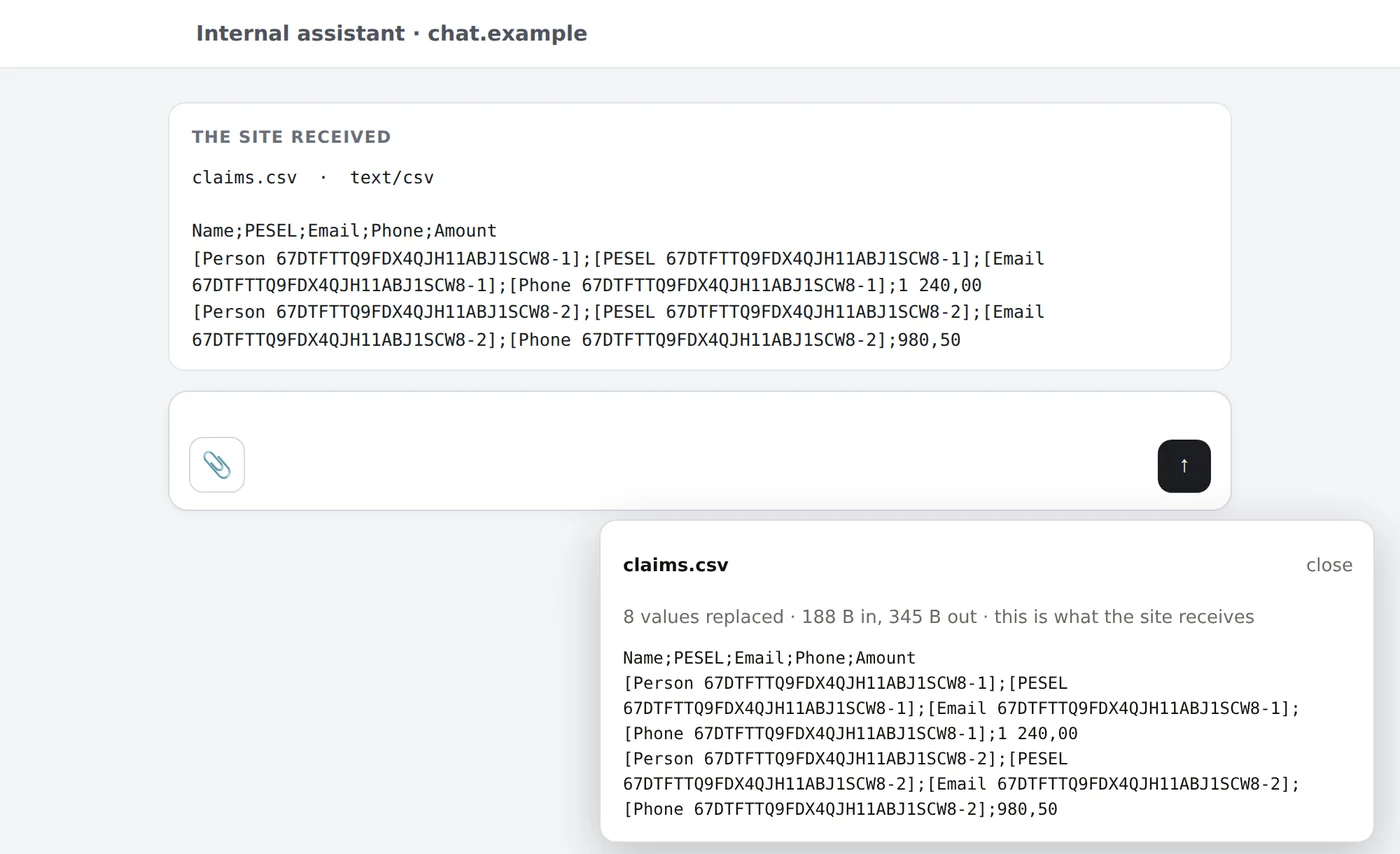
Attach with the paperclip. The site gets the masked copy.
The add-on takes the file before the chat site sees it, has the gateway mask it, and hands the site the masked file under the same name. A panel shows exactly what the site received.
masked
Values out, structure kept
People, identifiers, email addresses and phone numbers become tokens; column headers, amounts and dates the rules do not treat as personal stay where they were, so the model can still work with the table. The same person keeps the same token in the file and in the prompt.
A PDF with a text layer is sent as its masked text, named contract.pdf.txt, and the banner says so — a PDF cannot be edited in place.
read, with the OCR add-on
A scan is read and masked — on plans with OCR
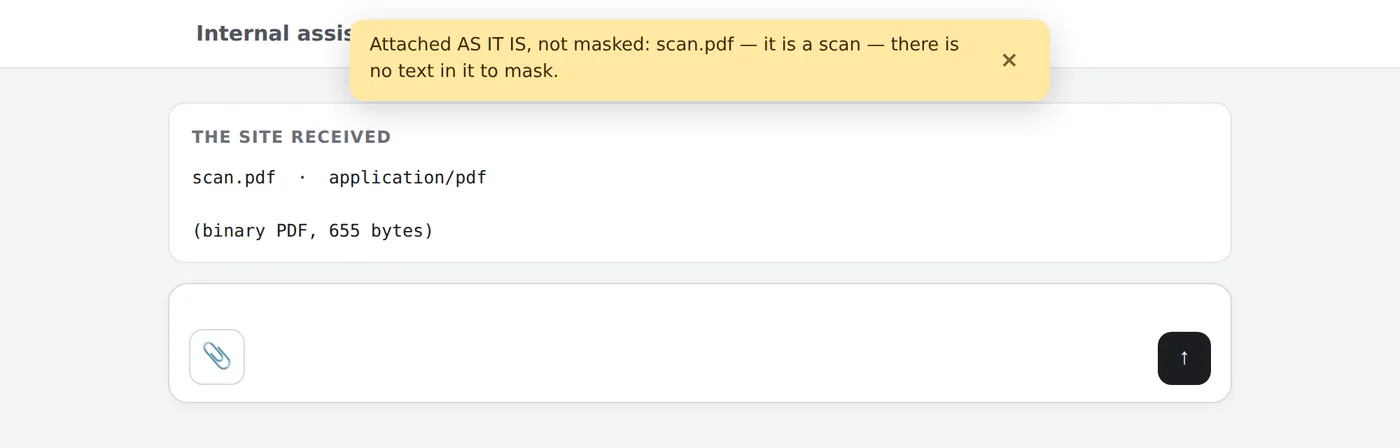
With the OCR add-on (Pro and Enterprise) a scanned PDF, a photographed page or an image is read, masked like typed text and sent as its masked text. Without it a scan has no text to mask: by default it is attached unchanged and a banner names the file and the reason, because a person who cannot attach a file switches the add-on off, and then nothing is protected. A company that wants such files refused switches that on in the add-on's settings.
Dropped and pasted files are not masked; they are announced the same way. Use the paperclip for a file that should be masked.
on the gateway page
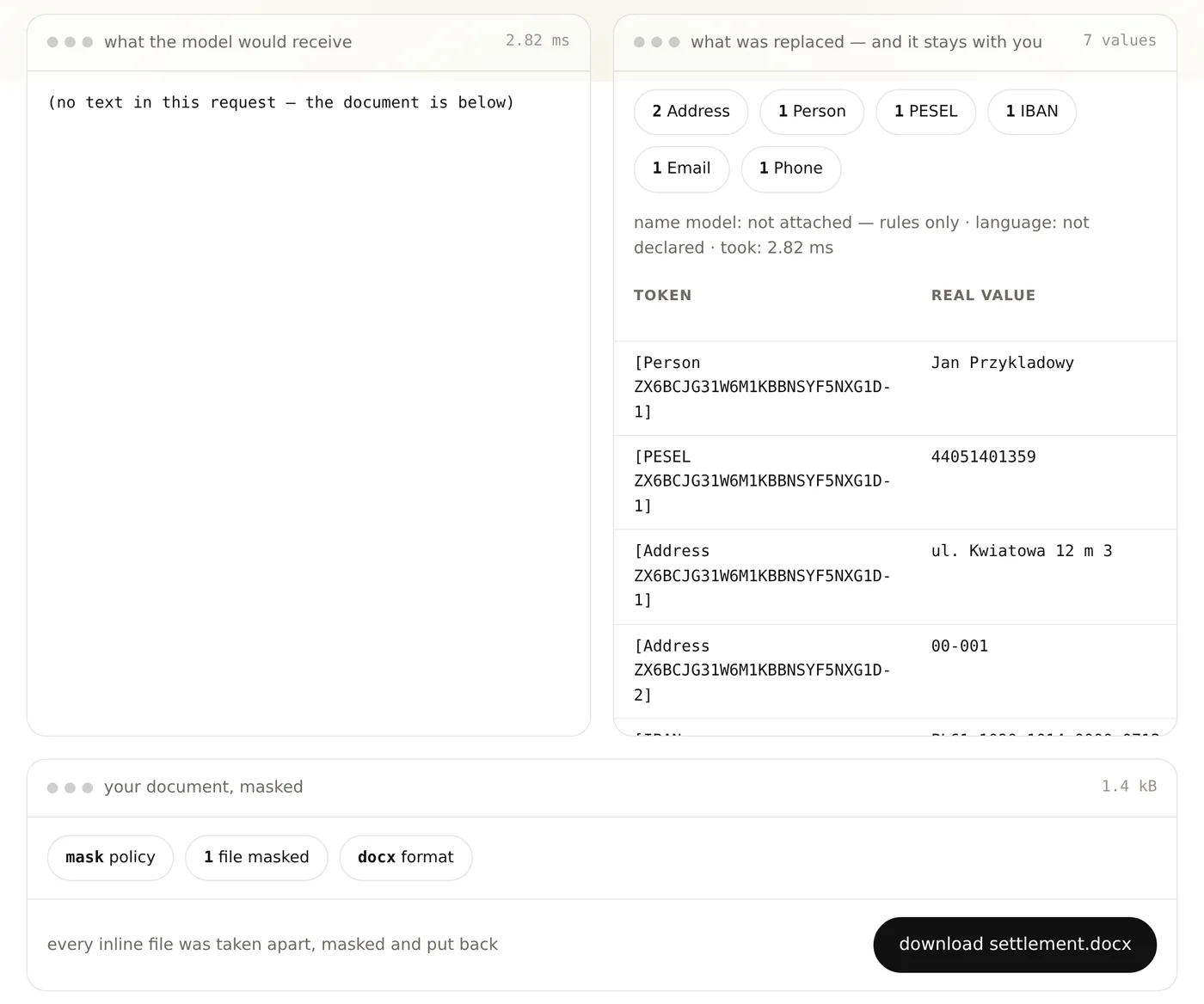
Drop a document, download it masked
/app
For the person who has no integration yet
Every gateway serves a page at /app: enter your key, drop a docx, xlsx, pptx, csv, txt or a PDF with text, and get it back masked — with the table of what was replaced beside it. The document and the table exist in that browser tab and nowhere else; the gateway keeps neither.
in your systems
The same on every path that can give the file back
proxy
Files inside model requests
A file in an OpenAI, Anthropic, Gemini or Mistral request is masked before it is forwarded, and a person the model quotes from the file is restored in the answer. The provider's own response shape is left alone; what happened to the files travels in a header. A PDF on this path is reported as not masked for now.
API
Any JSON with a file in it
Send the payload as object to /v1/mask: files come back masked in place, a PDF with text as its masked text, and the map carries the file's tokens so you can restore whatever the model writes about it.
never
What no path can mask
A password-protected PDF, a scan on a plan without the OCR add-on, and a file your model provider fetches by id — that file never passes through the gateway. Each is named in the answer with its reason.
measured on every engine change
Somebody else's documents, sent as real files.
16 324
documents, each sent as a docx, xlsx, pptx, csv or txt file
53 889
personal values the text path masks — 10 left in the file
10 765
copies in file properties and review comments — 1 left
0
files that no longer open
held-out test split of MEDDOCAN, MultiGraSCCo, MAPA, TAB, Nemotron-PII and Gretel, never used for tuning · each file judged against the same document sent as plain text · rule layer
and the hiding places no public corpus has: 21 hand-built containers — 54/54 personal values masked, 31/31 structural values kept — and 200 malformed files, 0 of them returned damaged
your policy
One choice in the account panel
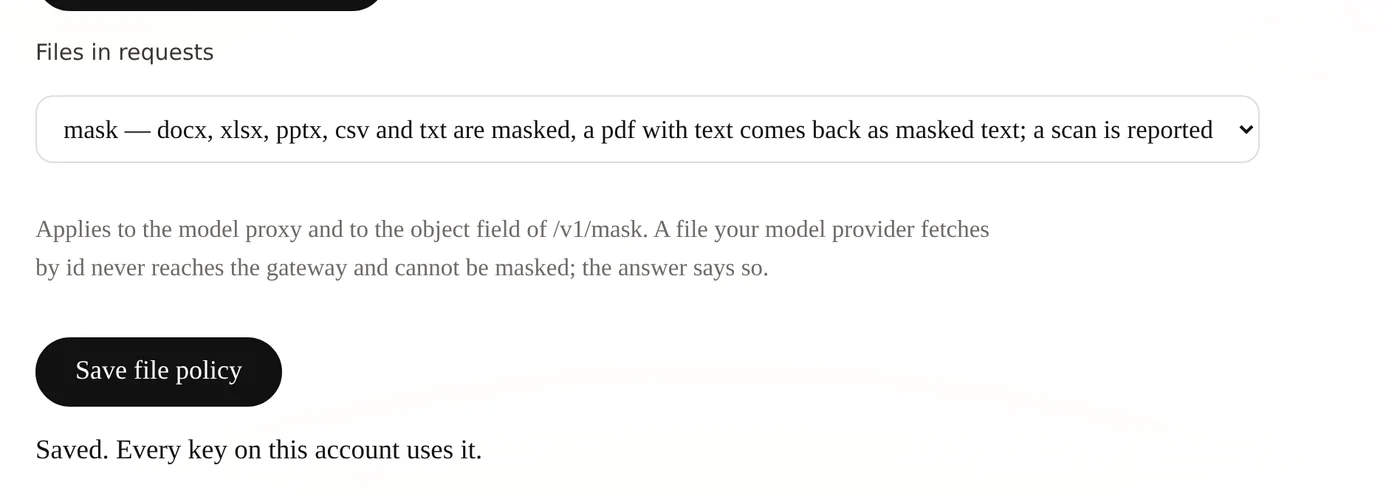
files in requests
Report, mask or refuse
Report is the default: the file passes on and the answer names it, so a file never goes through unnoticed. Mask masks everything that can be masked and reports the rest. Refuse turns away any request that carries a file. The choice applies to every key on the account.
Mask the file, not just the sentence.
Questions about your document types: office@obvelo.com