
browser add-on · version 0.1.0
The chat window is where people paste the case file.
The gateway protects what your systems send. The add-on protects what a person types or pastes into an AI chat in the browser: it masks the prompt before it is sent to the chat, shows exactly what will be sent, and puts the real names back into the answer on screen.
included in every paid plan — enterprise, starter, standard, pro — at no extra price and with no seat count; it uses the plan's characters like any other caller
how it works
Press once to mask. Press again to send.
Nothing is intercepted behind your back. The masked text is written into the prompt box, so you read what the model will receive — and you send it yourself.
1 · see
What was found, while you type
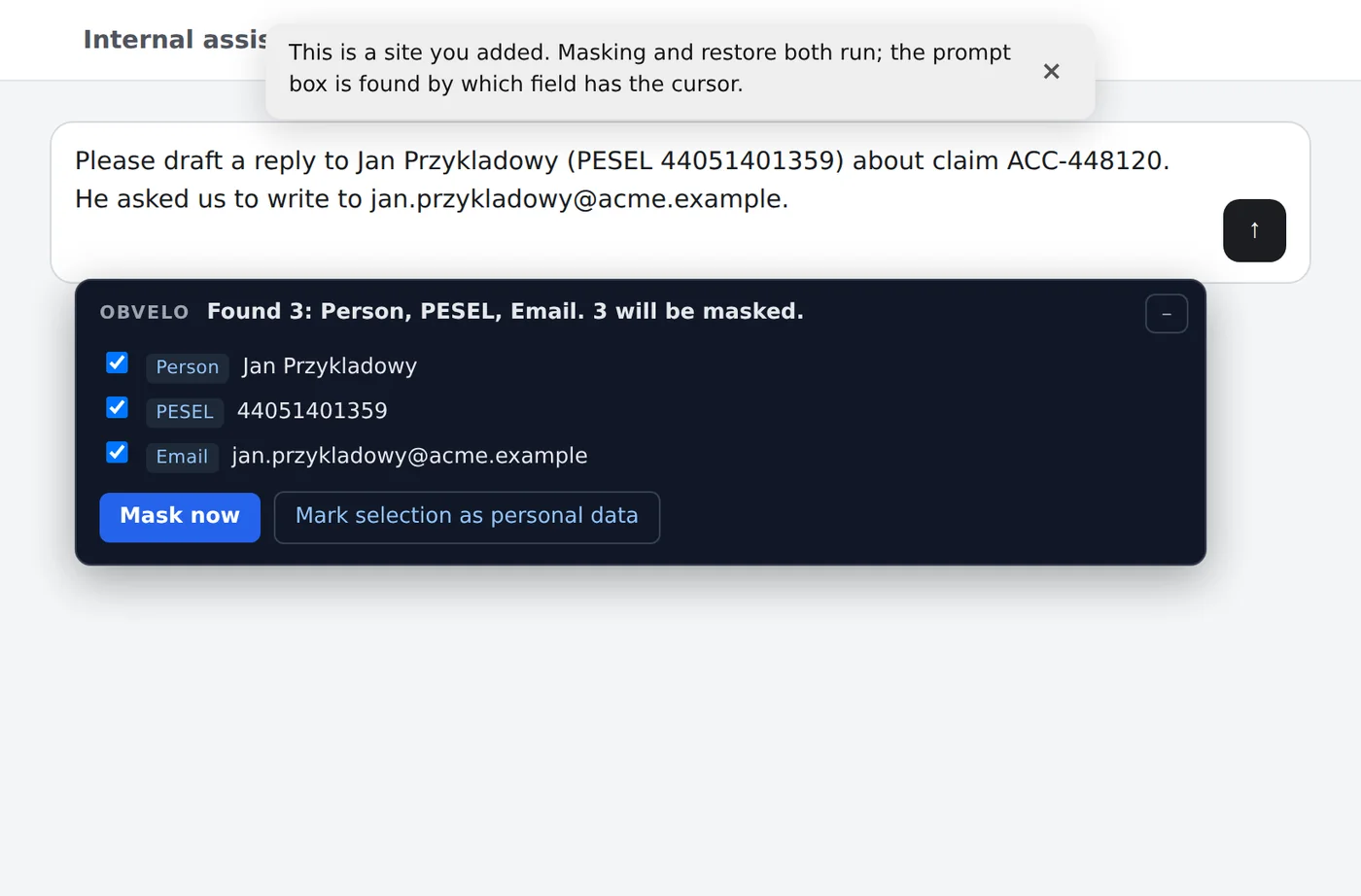
A panel under the prompt lists every value the gateway would mask: its label, the value, how often it occurs. Every row starts ticked. Untick one and it goes to the model in clear — the panel says so in words. Select any text in the box and Mark selection as personal data masks something the engine did not know, such as a project codename.
2 · mask
Enter or the send arrow masks first
The first press replaces the text in the box with its masked version and does not send. The second press sends what you can see. A mouse click on the send button is treated the same way as Enter.
If the gateway cannot be reached, the key is refused, or the page will not take the masked text, nothing is sent and the reason is shown on the page. The add-on never sends unmasked text on your behalf.
![The prompt box holding tokens such as [Person …], [PESEL …] and [Email …] instead of the values, with a note to send again](/img/extension/masked.webp)
3 · read
The answer comes back with the real names
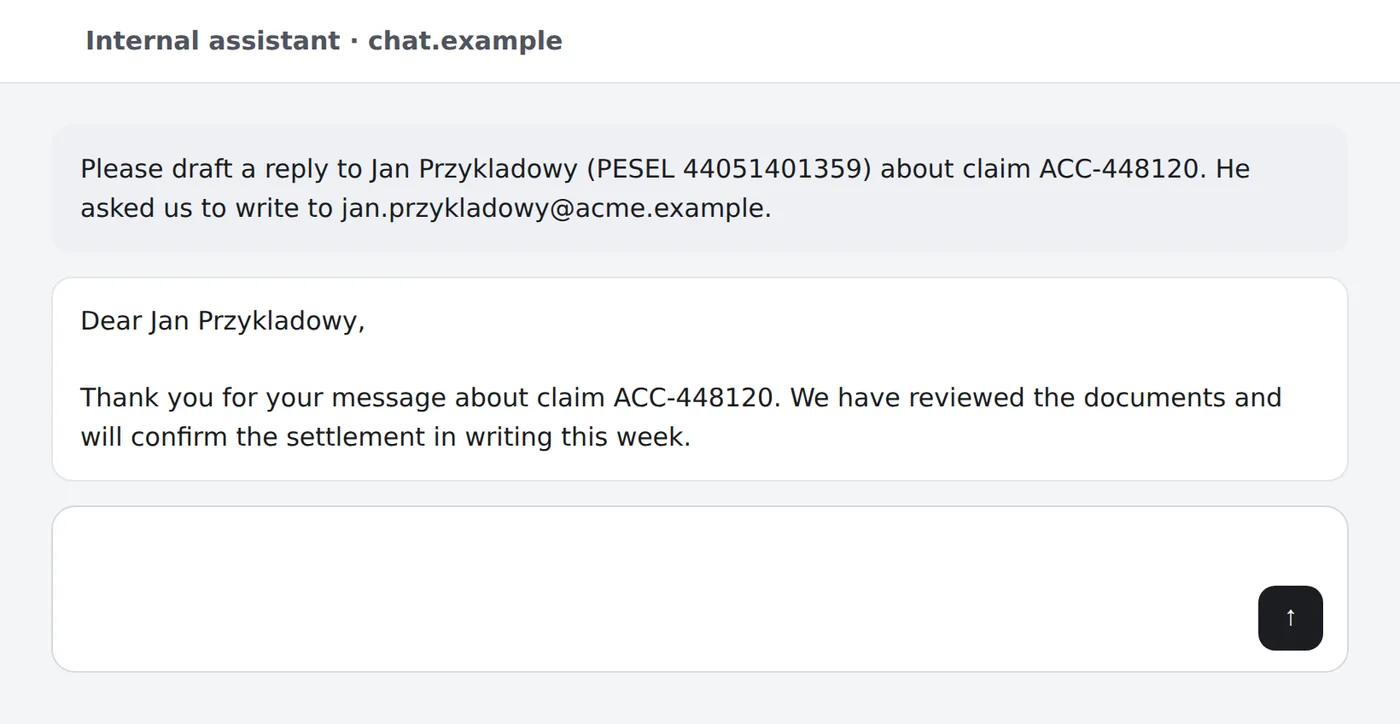
The model answers about [Person …]. On your screen, the add-on puts the real values back — in the answer and in your own message above it. The model only ever held tokens. The chat page itself runs in your browser, so its own scripts see what you type before it is masked and the real names put back on your screen — as they would without the add-on.
settings
Your lists stay in your browser
Always mask, never mask
Two lists of your own, up to 200 entries each: values always to mask (with the label you choose for the token) and values never to mask. They are kept in this browser and nowhere else, and travel only inside a masking request — neither the gateway nor our shop stores them.
The wait before the panel checks the prompt is adjustable: every check is billed per character, like any other request.
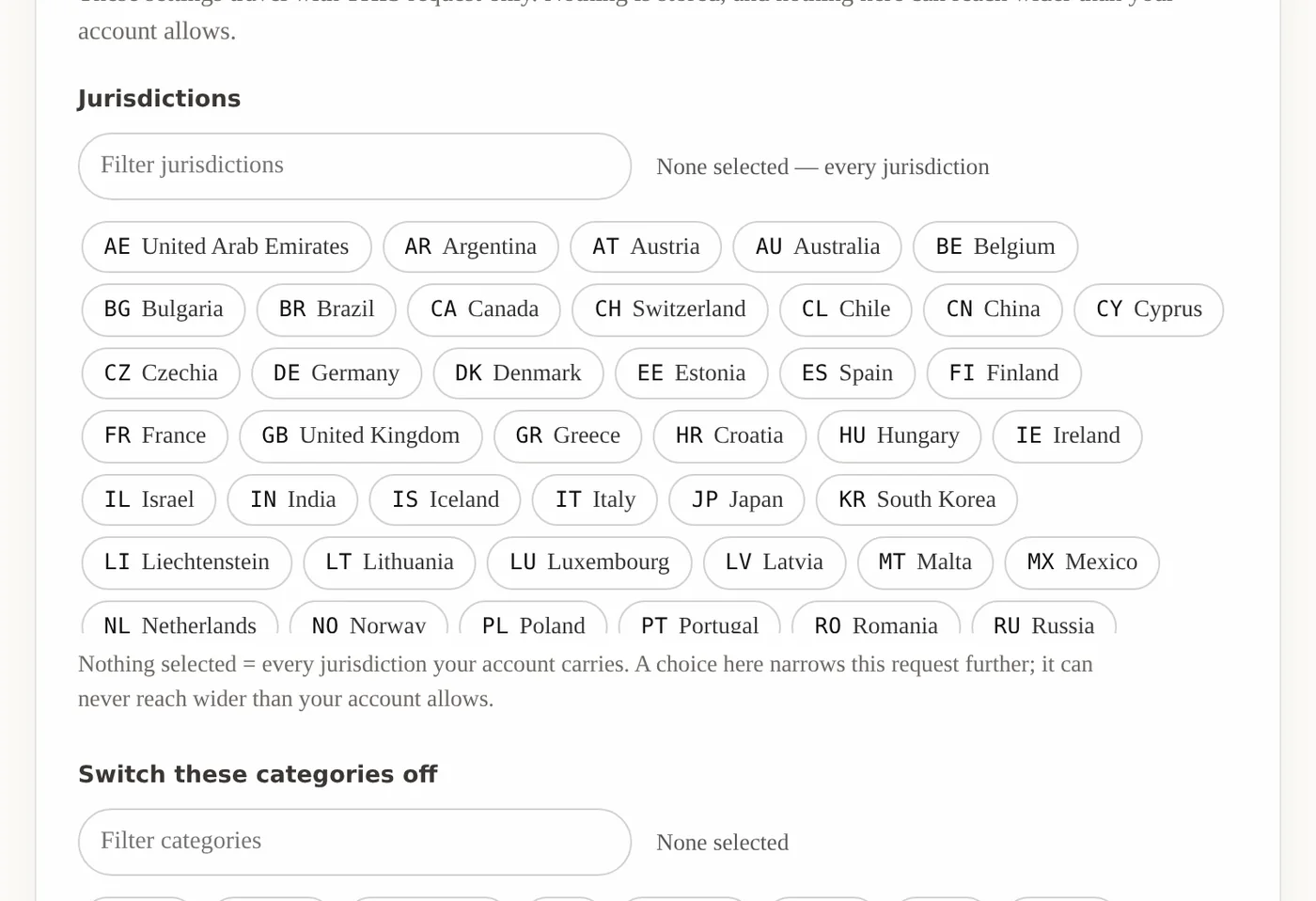
Narrow it to your jurisdictions
Choose the jurisdictions to check and switch off categories or labels you do not want masked. The choices come from the rule catalogue your gateway really loaded, and they can only narrow what your account allows — never widen it.
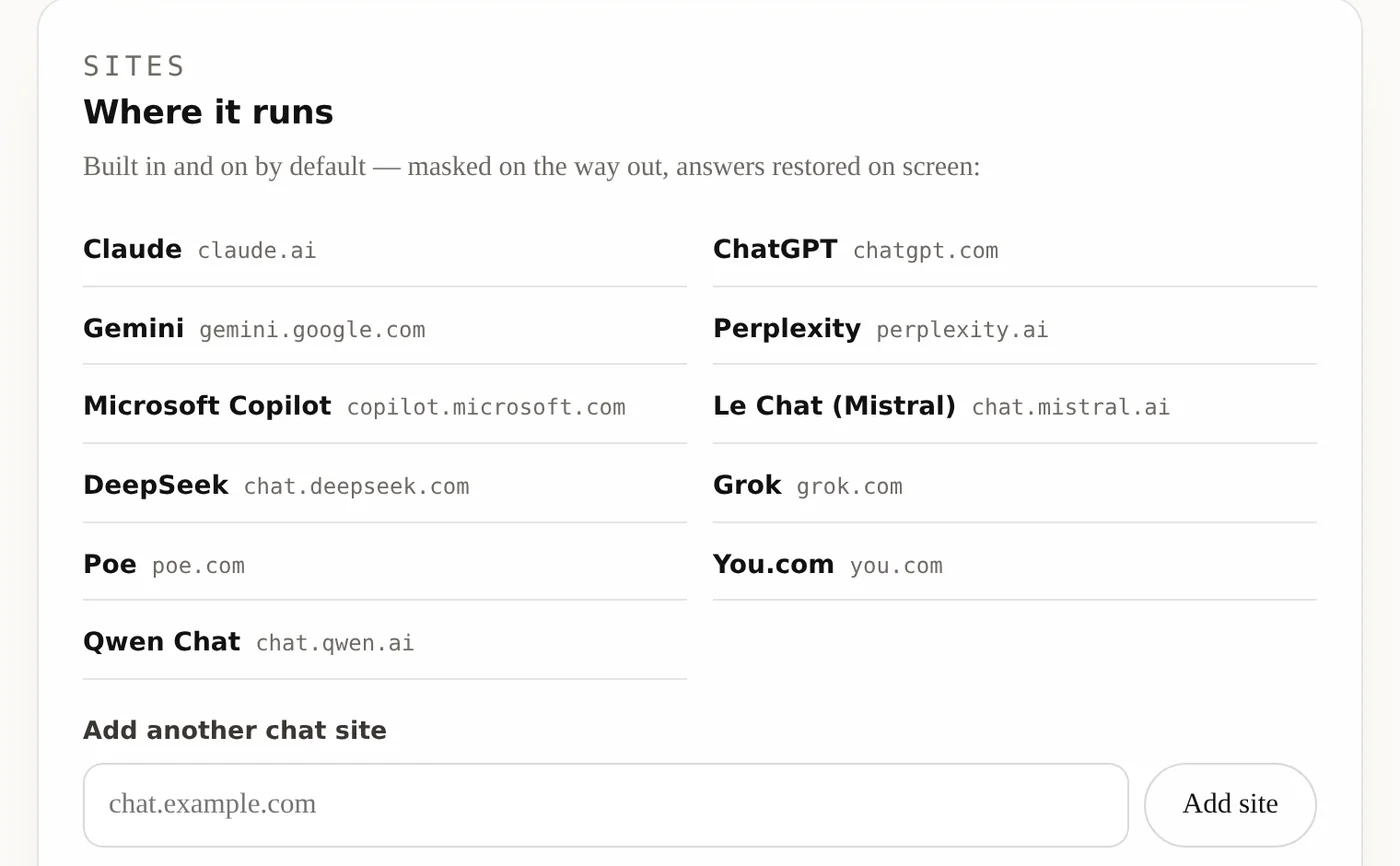
Eleven chat sites built in — and any other you add
On from the moment it is installed, with nothing to switch on: Claude, ChatGPT and Gemini with selectors written for them, and Perplexity, Microsoft Copilot, Mistral Le Chat, DeepSeek, Grok, Poe, You.com and Qwen Chat, where the prompt box is found by where your cursor is. Any other chat site can be added by its address and asks for its own browser permission. Masking and restore run on all of them.
what it does and does not do
Said plainly, before you install it
masking
Done by the gateway, never in the browser
The add-on holds no detection rules. It sends the prompt to your OBVELO gateway and writes back what comes out, so every improvement to the engine reaches every browser at once.
your key
Never visible to the page
The gateway key and the token map live in the add-on's own context. The chat page cannot read them, and the map is held in memory only — it is never written to disk and is gone when the tab closes.
files
Attached with the paperclip: masked
A docx, xlsx, pptx, csv, json or txt chosen with the page's file button is masked by the gateway before the site sees it. A PDF with a text layer is sent as its masked text, named contract.pdf.txt — a PDF cannot be edited in place — and the banner says so. On a plan with the OCR add-on a scanned PDF or a photographed page is read and sent as its masked text too. A file it cannot mask — a scan without the add-on, a video, one that is too large — is attached as it is, and a banner names the file and says it was not masked. Dropped and pasted files are never masked and are announced the same way. A company that wants such files refused instead switches that on in the settings.
browsers
Chrome and Edge
A Manifest V3 extension for Chromium browsers (version 116 or later). Firefox is not supported. The interface is in English.
account
Needs a gateway key with the add-on
The add-on works with a key from a plan that includes it. A key without it is refused with a message saying so — it does not silently do nothing.
install
From this site, not yet the Chrome Web Store
Tested end to end in Chromium against a real gateway, on pages shaped like the supported sites, and the downloadable zip itself loaded the way a customer loads it. Download it, unzip, and choose Load unpacked in the browser's extensions page.
Protect the chat window too.
Rolling it out to a team: office@obvelo.com